Remote work has transformed from a rare privilege into a practical reality for many professionals across industries. Laptops, cloud services, and collaboration tools now allow tasks once tied to fixed offices to be performed almost anywhere. Yet working outside a traditional environment introduces new challenges that are easy to underestimate. Unstable power, inconsistent internet, physical discomfort, and disorganization can quietly erode productivity. A successful mobile office requires more than simply carrying a computer to a new location. Careful attention to equipment, ergonomics, and workflow stability becomes essential for sustained performance. In this article, the key elements of building a reliable, comfortable, and efficient mobile workspace are explored through realistic, everyday scenarios.
1. Start With Reliable Power
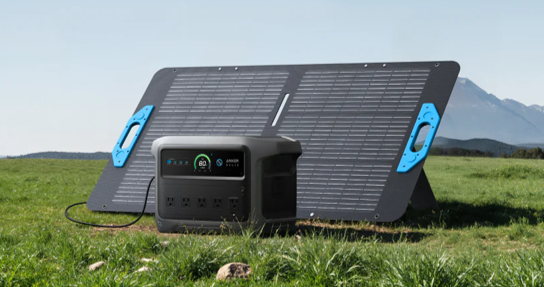
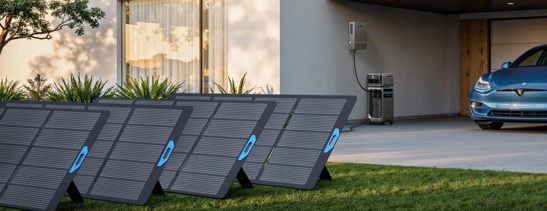
Electricity is the invisible foundation of any productive workspace, yet it becomes unpredictable the moment work moves beyond conventional offices. Cafés, airports, vehicles, and outdoor locations often provide limited or inconvenient outlet access, creating constant battery anxiety. The best portable power station eliminates this uncertainty by acting as a centralized energy reserve for essential devices. This allows laptops, monitors, and communication tools to operate without interruption, even during long sessions or travel delays. Modern portable power solutions are designed with safety mechanisms and stable output, protecting sensitive electronics from irregularities. In practical mobile setups, units such as the Anker SOLIX power station are frequently chosen for their reputation for consistent performance and operational reliability. Access to reliable stored energy ultimately shifts attention away from power management and back to meaningful work.

2. Secure Fast and Stable Internet
Use a mobile hotspot with local SIM cards
Connectivity remains the lifeline of modern digital work, supporting communication, research, and cloud-based workflows. Public networks, while convenient, often introduce concerns about speed, stability, and security. Mobile hotspots provide a more controlled alternative, enabling reliable connections across a wide range of environments. Using local SIM cards can significantly improve performance and reduce roaming costs during international travel. This approach also minimizes dependence on potentially congested shared networks. Consistent internet access allows workflows to remain predictable rather than reactive. In mobile work contexts, connectivity planning frequently determines overall efficiency.
Carry a backup router or signal booster
Even well-planned connections occasionally encounter weak signals or inconsistent coverage. Environmental factors such as building materials, terrain, and network congestion can affect performance without warning. Backup routers or compact signal boosters provide valuable redundancy in such situations. These tools enhance flexibility, particularly when working from vehicles, rural areas, or temporary accommodations. Maintaining connectivity prevents small technical obstacles from disrupting schedules or deadlines. Reliable internet access supports both productivity and professional responsiveness. Redundancy, in this context, functions as a practical safeguard rather than excess equipment.
3. Build a Portable, Ergonomic Desk Setup
Pack a lightweight laptop stand and external keyboard
Physical comfort directly influences cognitive performance, especially during extended work sessions. Improvised setups, such as working on beds or low tables, often lead to neck strain and fatigue. Lightweight laptop stands elevate screens to eye level, promoting healthier posture and reducing discomfort. External keyboards further improve ergonomics by allowing natural hand positioning. These small adjustments can significantly enhance focus and endurance. Compact ergonomic tools deliver substantial benefits relative to their size and weight. Sustained comfort ultimately supports sustained productivity.
Use a lap desk or adjustable camping table
Mobile work environments frequently lack traditional furniture, requiring adaptable workspace solutions. Lap desks and adjustable tables provide stable surfaces suitable for varied locations. These options accommodate settings ranging from hotel rooms to outdoor campsites. Flexibility in desk arrangements allows work to continue comfortably despite changing surroundings. Stable surfaces also protect devices from overheating or accidental damage. Portable desks support consistency across otherwise unpredictable environments. Adaptable infrastructure remains central to effective mobility.
4. Manage Cables and Keep Gear Organized
Use cable organizers and multi-port charging hubs
Modern work setups often involve multiple devices, each introducing cables and adapters that can quickly become chaotic. Cable organizers prevent tangling, reduce clutter, and simplify device management. Multi-port charging hubs further streamline operations by consolidating power delivery. Efficient cable management improves both usability and visual clarity. Organized workspaces reduce friction during setup and transitions. Small organizational tools often yield disproportionately large efficiency gains. Simplicity enhances reliability in mobile contexts.
Store everything in a dedicated tech bag
Mobility demands rapid transitions between locations, making structured storage essential. Dedicated tech bags protect sensitive equipment while maintaining logical organization. Predictable storage layouts minimize time lost searching for accessories or devices. Protective compartments also reduce the risk of accidental damage during travel. Consistent organization supports smoother workflows and reduced stress. Equipment readiness directly influences work readiness. Structured storage systems enable reliable mobile.
See also: Medical Technology Innovations
5. Create Boundaries and Reduce Distractions
Environmental freedom, while appealing, introduces new sources of distraction absent from traditional offices. Noise, movement, and unfamiliar surroundings can fragment attention. Establishing clear work boundaries helps maintain focus and mental separation. Simple practices such as scheduled work blocks or designated work zones prove highly effective. Noise-reduction strategies, including headphones or quiet positioning, further enhance concentration. Structured routines stabilize productivity despite variable environments. Psychological organization complements physical organization.
Conclusion
A productive mobile office emerges not from a single device but from a coordinated system of power, connectivity, comfort, and organization. Each element reinforces the others, creating a stable and efficient working environment across diverse locations. Reliable energy access prevents interruptions, while strong connectivity sustains collaboration and workflow continuity. Ergonomic considerations preserve physical well-being, supporting long-term performance. Organizational strategies reduce friction and simplify transitions between spaces. Together, these factors transform mobility from a compromise into a functional advantage. With thoughtful preparation, remote work can remain both flexible and consistently effective.